Knowledge base
Feed the agent websites, PDFs and text; keep it fresh with auto-sync; test what it knows.
The knowledge base is what your agent answers from. Add sources on the Knowledge tab:
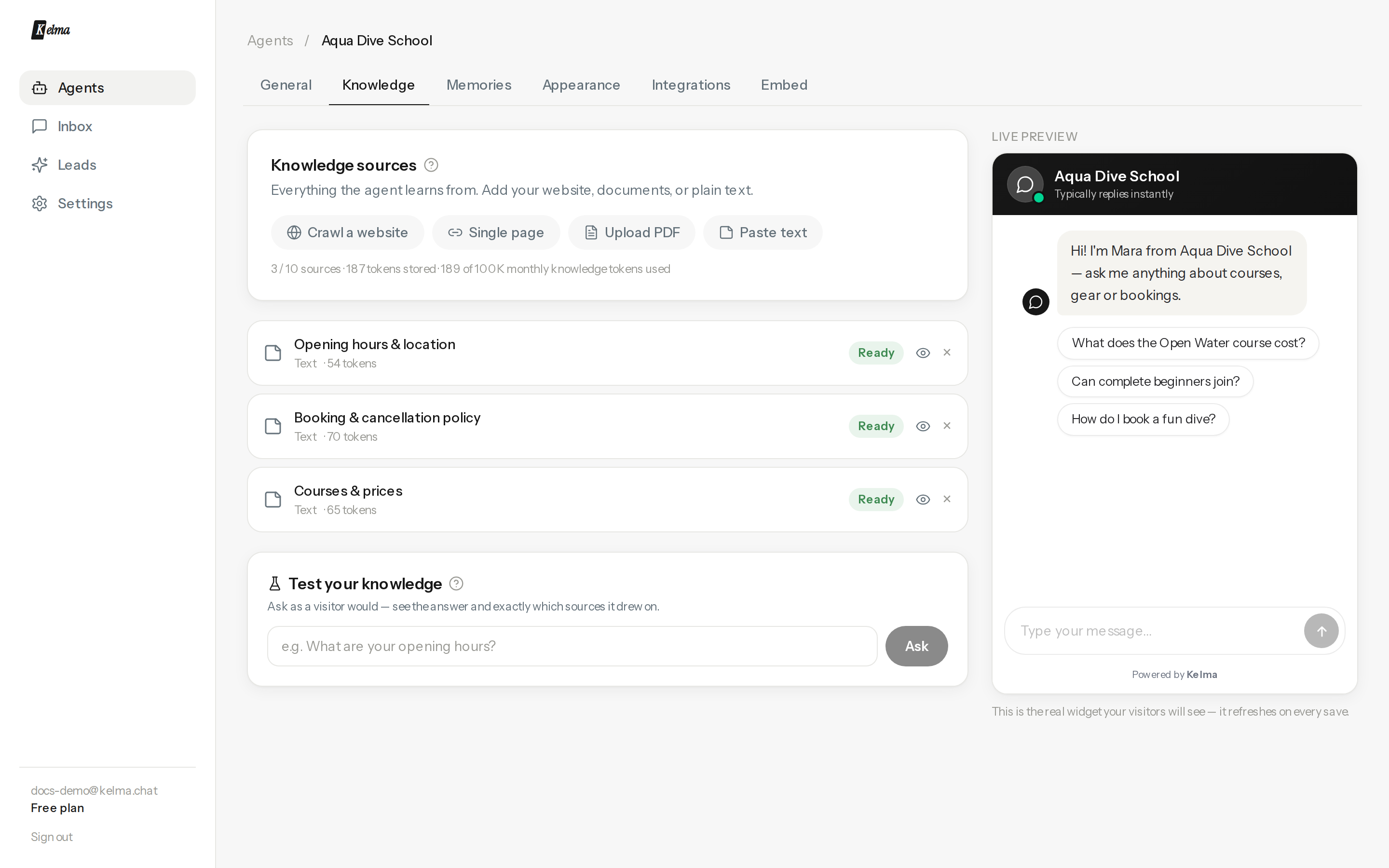
Source types
- Crawl a website — enter your domain, Kelma discovers the pages (sitemap-aware), you tick the ones to import.
- Single page — one URL, e.g. a pricing or FAQ page.
- Upload PDF — up to 15 MB, needs selectable text (scans aren't supported yet).
- Paste text — FAQs, policies, product details; anything not on a page.
Each source shows its status, page count, and how many tokens it stores. Your plan sets the number of sources per agent and a monthly knowledge-token budget (importing and re-syncing consume it).
Keeping content fresh
Web sources re-fetch themselves automatically — choose daily, weekly (default), monthly, or off per source, or press ↻ Re-sync any time for an immediate refresh.
See exactly what the agent learned
Click the eye on any ready source to read the stored text — rebuilt from the very passages the agent searches, so it's an honest view of its knowledge (not a re-fetch of your site).
Test your knowledge
At the bottom of the tab, ask a question the way a visitor would. You get the agent's real answer plus the exact passages it drew on — the fastest way to debug "why didn't it know that?". If the right passage isn't listed, the content probably isn't in your sources yet.