Embedding & sharing
The chat bubble snippet, inline iframe, public share link, and domain allow-list.
Everything you need is on the Embed tab.
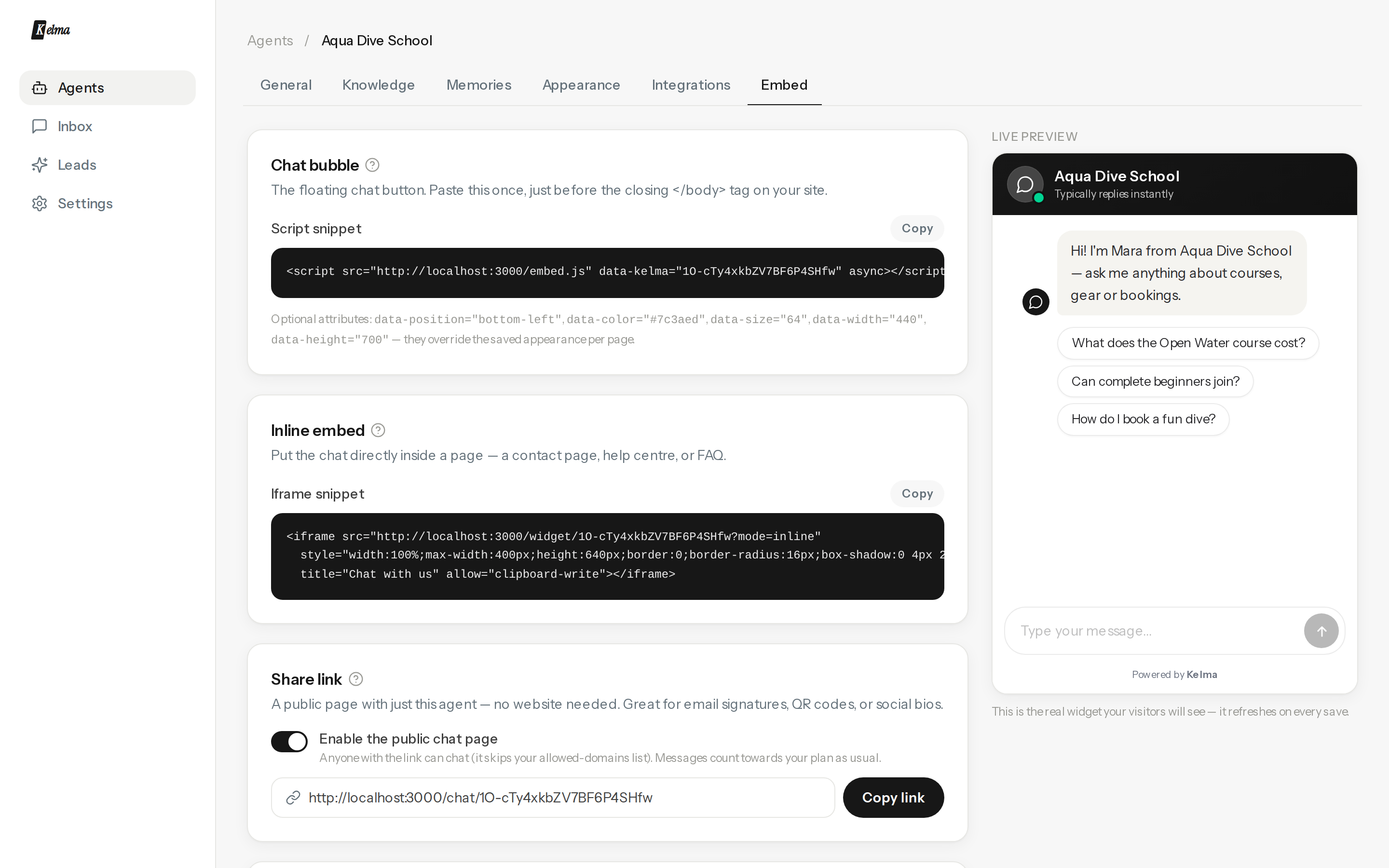
Chat bubble (recommended)
Paste the script once, just before </body>:
<script src="https://kelma-chat.vercel.app/embed.js" data-kelma="YOUR_AGENT_ID" async></script>
Works on any site — WordPress, Shopify, Webflow, plain HTML, single-page apps. Optional per-page attributes override the saved appearance: data-position="bottom-left", data-color="#7c3aed", data-size="64", data-width="440", data-height="700".
Inline iframe
Put the chat inside a page — a contact page or help centre — with the iframe snippet. It fills whatever container you give it.
Share link
Switch on the public chat page to get a link like kelma-chat.vercel.app/chat/… — the agent as a standalone page, no website needed. Great for email signatures, QR codes and social bios. Anyone with the link can chat, and messages count towards your plan as usual; switch it off any time.
Allowed domains
By default any site can embed your agent. Add domains (one per line, subdomains included) to restrict it — other sites then get nothing, silently. The share link ignores this list only while you have sharing switched on.