Put it to work
Integrations & tools
Real actions during chat: booking, callbacks, CRM, helpdesk, Shopify, alerts, webhooks.
Integrations give the agent real abilities — it checks live availability, books the meeting, opens the ticket — rather than pointing visitors at a link. Connect them on the Integrations tab; keys are stored server-side, never shown again, and never reach the visitor's browser.
Scheduling
- Cal.com — paste your API key and event type ID; the agent offers real free slots and books in the visitor's timezone.
- Calendly — personal access token + the event's booking link (paid Calendly plans).
Team alerts
One incoming-webhook URL — Slack, Discord, Microsoft Teams or Google Chat (format auto-detected). Tick which events ping you: new leads, human-handoff requests, bookings, tickets, idle-chat transcripts.
CRM
- HubSpot (private-app token) or Pipedrive (API token + company domain). The agent saves contacts it naturally collects; lead-form submissions and bookings sync too.
Helpdesk
- Zendesk, Freshdesk or Jira — the agent opens a ticket when a visitor's problem needs written follow-up, with their email and a clean description.
E-commerce
- Shopify — "where's my order?" answered from your store. The agent requires the order number and the checkout email and only reveals details when they match.
Built-in tools
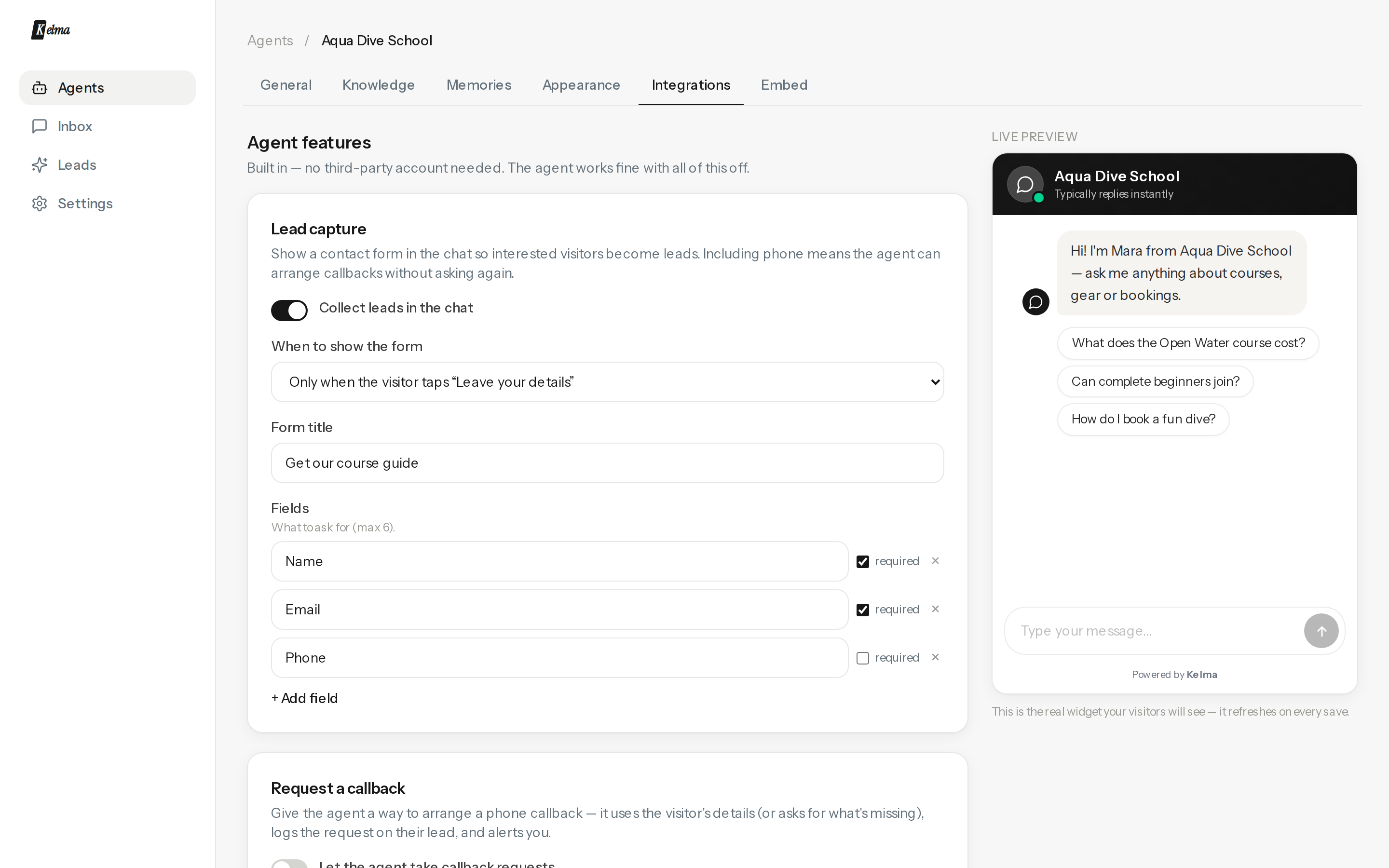
- Lead capture — a native form in the chat; trigger it before the chat, after the first reply, after N messages, or leave it to the agent's judgement. Up to six fields.
- Phone callback — the agent collects a number and preferred time and logs a callback request.
- Email notifications — per-event emails to any address, plus full transcripts of idle conversations.
- Custom action — define your own tool (name, description, fields): the agent calls your HTTPS endpoint with a JSON payload. Lead webhook POSTs every captured lead to Zapier/Make/your CRM.
The agent is explicitly taught it can only act through connected tools — it will never claim it "transferred you" without one.